Ir para conteúdo
View in the app

A better way to browse. Learn more.

MK7 Clube

A full-screen app on your home screen with push notifications, badges and more.
To install this app on iOS and iPadOS
  1. Tap the Share icon in Safari
  2. Scroll the menu and tap Add to Home Screen.
  3. Tap Add in the top-right corner.
To install this app on Android
  1. Tap the 3-dot menu (⋮) in the top-right corner of the browser.
  2. Tap Add to Home screen or Install app.
  3. Confirm by tapping Install.

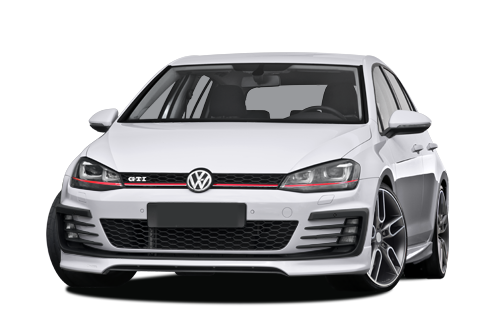
Remap Golf GTI em BH

Featured Replies

Postado

Alguem sabe de algum lugar que faca o remap aqui em BH ?

Vi um lugar que faz APR, proximo ao 6 pistas, mas nao botei fe nao ...


Tks!

Postado

Eu jamais faria APR pelo historico de quebras de turbina.
Eu vou fazer Revo Stg2 daki 2 semanas. 310whp.
Fica a dica


Enviado do meu iPhone usando Tapatalk

Postado

Ja vi video de Gti com esse mapa andando 2 carros atrás de Gti com Apr e IS38.
Ficou muito top esse mapa da Revo.


Enviado do meu iPhone usando Tapatalk

Postado
  • Autor
16 minutos atrás, serghi1 disse:

Ja vi video de Gti com esse mapa andando 2 carros atrás de Gti com Apr e IS38.
Ficou muito top esse mapa da Revo.


Enviado do meu iPhone usando Tapatalk

Pelo que tenho pesquisado, o mapa que esta mais me agradando eh o da REVO mesmo ..

Vc vai fazer esse Remap em BH ??

  • 3 weeks later...
Postado

Olá sou novo no fórum!!

Faça com quem entende !! 


www.rocketperformance.com.br

www.instagram.com/rocketperformance


somos dealer REVO!

http://www.revotechnik.com/dealer-locator?ddl_dealer_country=BR&txt_address=Belo+Horizonte+&ddl_dealer_distance=All&btn_dealerlocator=Search&hdn_submitted=


http://www.rocketperformance.com.br/revo-technik


qualqr dúvida estou à disposição 

Christopher 

(37)988397225


Crie uma conta ou entre para comentar

Conteúdo Similar

Account

Navigation

Pesquisar

Pesquisar

Configure browser push notifications

Chrome (Android)
  1. Tap the lock icon next to the address bar.
  2. Tap Permissions → Notifications.
  3. Adjust your preference.
Chrome (Desktop)
  1. Click the padlock icon in the address bar.
  2. Select Site settings.
  3. Find Notifications and adjust your preference.